
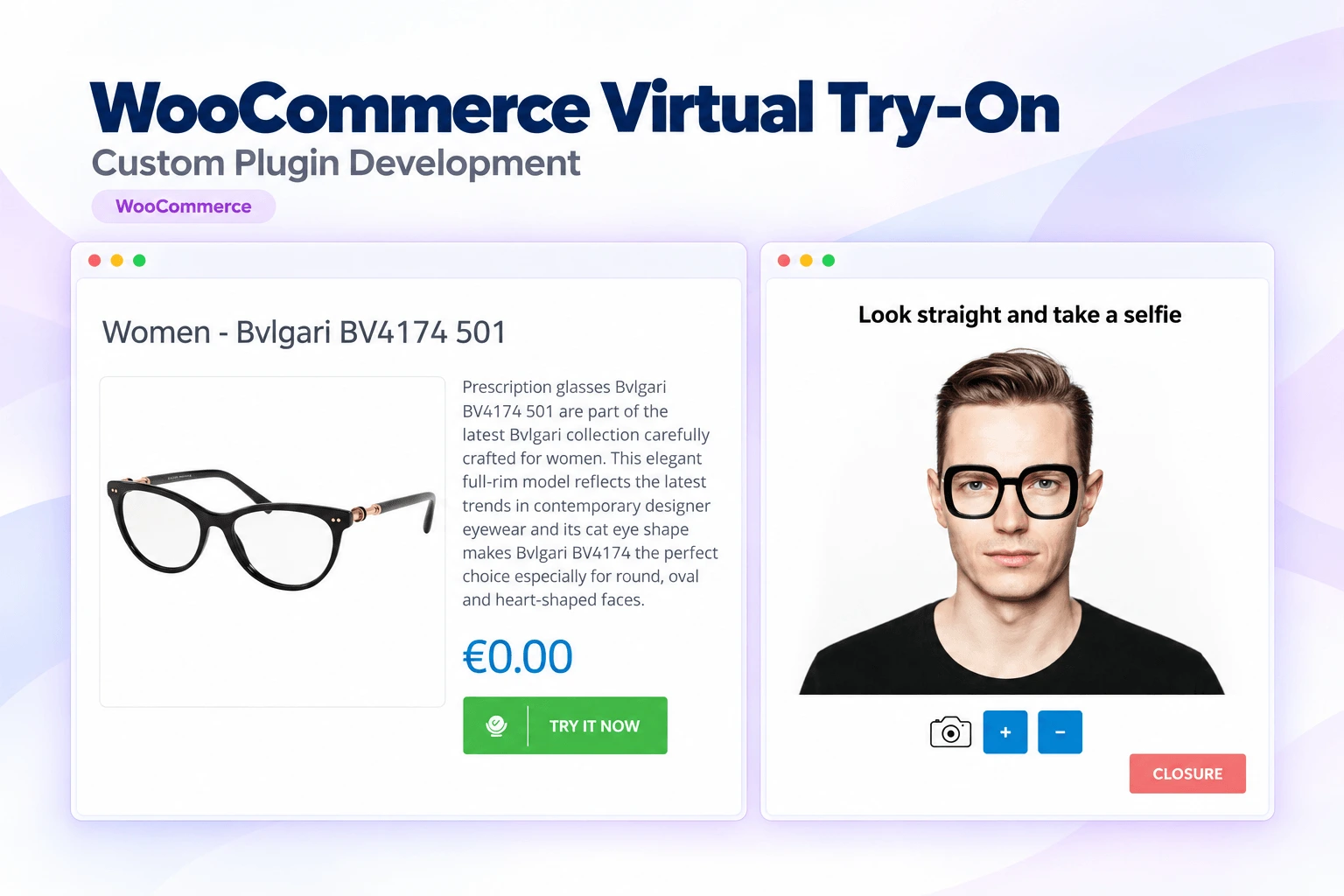
A custom WooCommerce Virtual Try-On plugin that lets shoppers preview eyeglasses using their own photos or a live camera before buying, built to create an interactive shopping experience while giving store owners full control over customisation and product management.
The virtual try-on feature works smoothly and integrates perfectly with my WooCommerce store.
The client needed a custom WooCommerce Virtual Try-On solution for their online eyewear store so customers could try on glasses virtually before purchasing. It had to support both photo uploads and live camera capture and position the glasses realistically for a more engaging experience.
The client also required full backend management, including product-specific PNG uploads, enable and disable controls for individual products, customisable button and popup styling, and privacy-focused image handling so customer photos are never stored on the server.
Our solutionWe built a custom WooCommerce Virtual Try-On plugin that integrates with the client's store and offers a try-on experience directly from the product page, designed to build customer confidence while staying easy for administrators to manage from the WordPress dashboard.
The final solution provides a realistic virtual shopping experience that helps customers buy with confidence, and gives administrators full control over the feature's appearance and functionality.
Related projects you might like.
Tell us what you need and we will come back with a clear plan and a quote, usually within 2 business hours.